Photo Match Game for Snappic Microsites (V1)
Turn your Snappic microsite into a live photo-powered game experience.
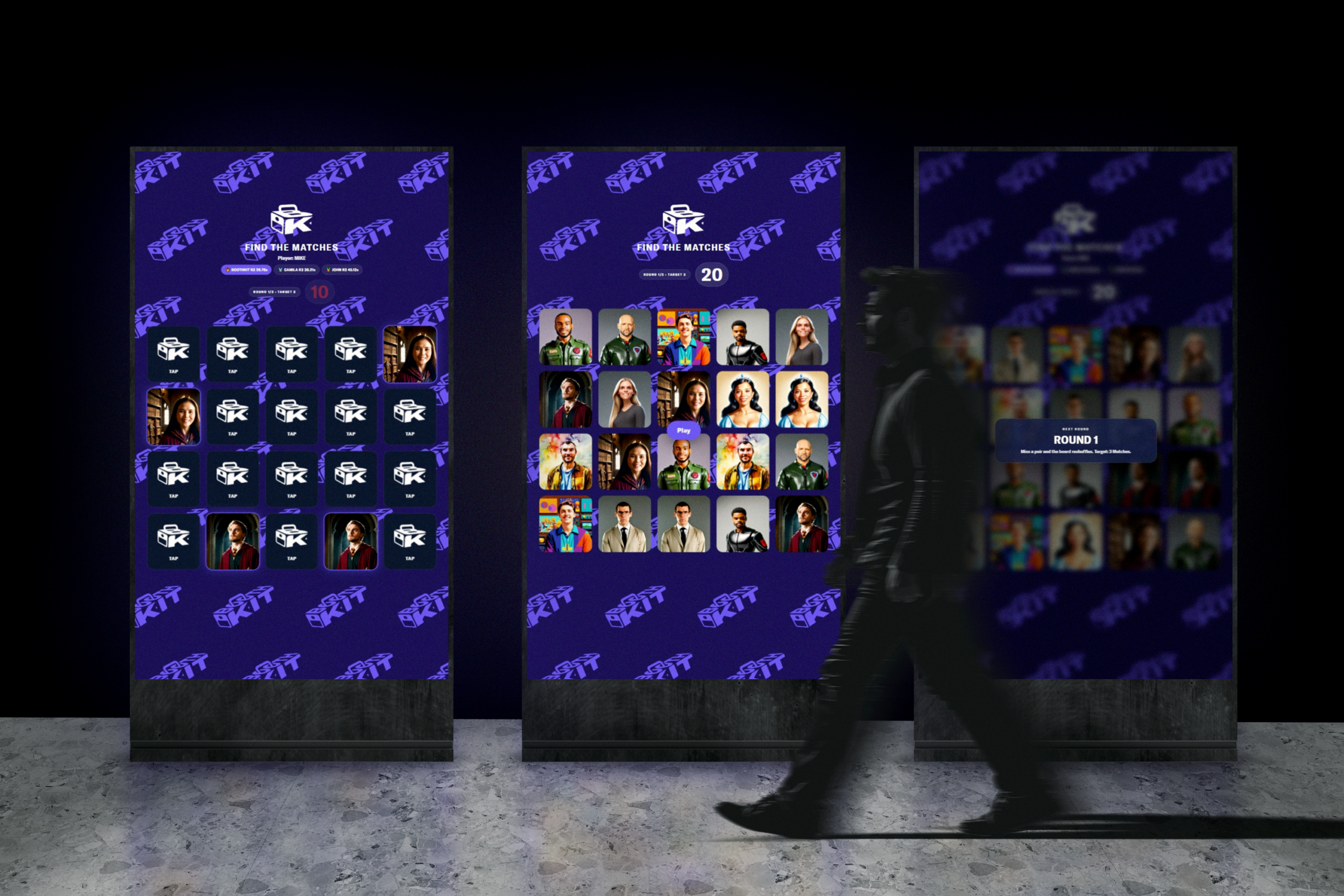
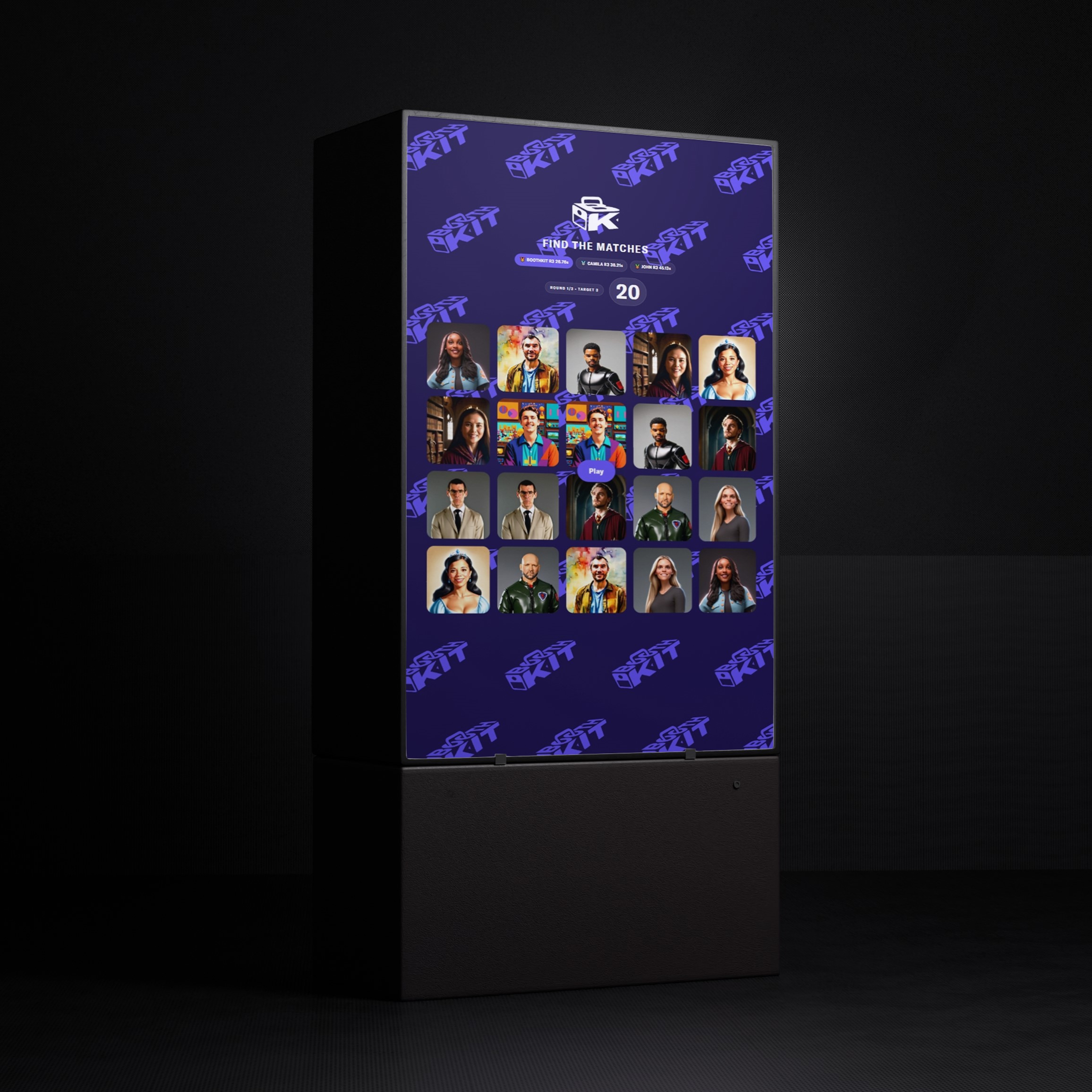
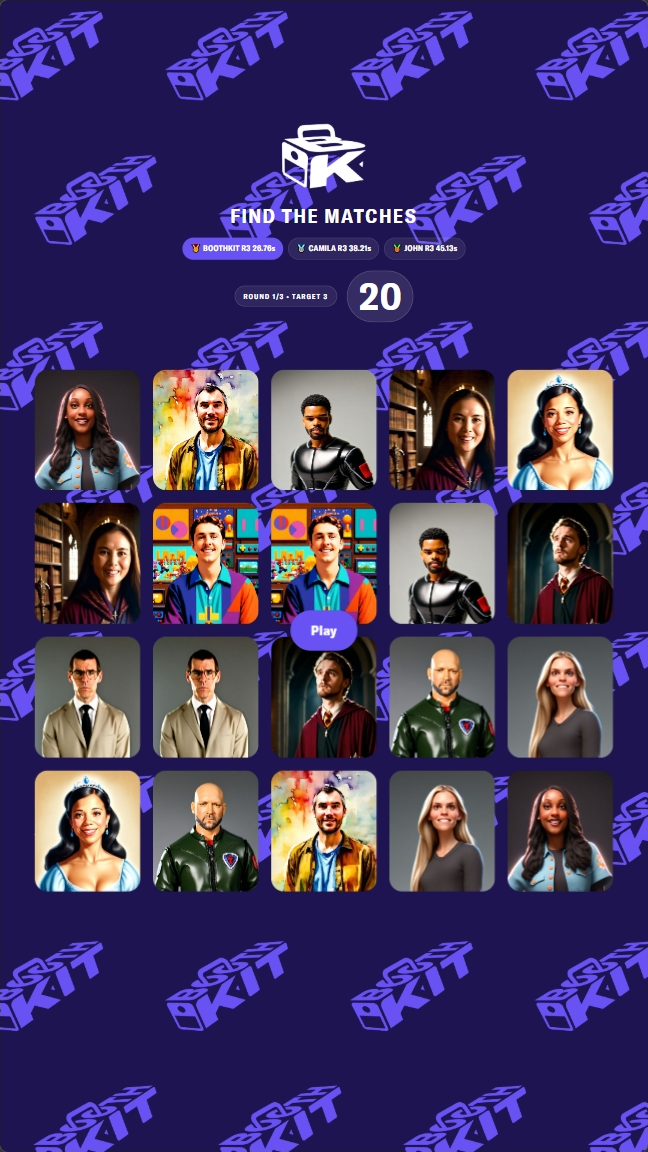
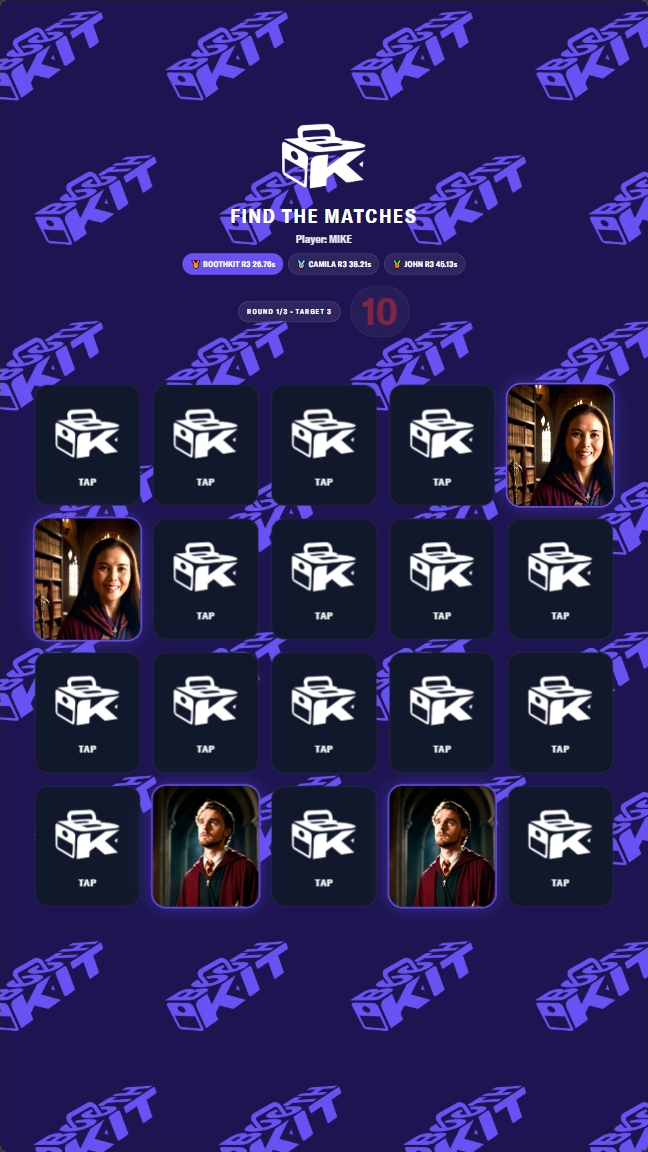
Photo Match Game for Snappic Microsites (V1) is a plug-and-play touchscreen game that automatically pulls event photos from your Snappic microsite and turns them into a fully interactive memory matching game.
Built for photo booth operators and activations, this product supports unlimited monitors, portrait or landscape photo templates with one photo, horizontal or vertical displays, and full branding customization including logos, colors, and fonts.
As new photos are captured at the booth, the game updates automatically with them through live photo sync, making the experience feel dynamic throughout the event.
This is more than a game; it’s a slideshow and activation system in one.
$500.00 Original price was: $500.00.$250.00Current price is: $250.00.
Full Description
The Photo Match Game for Snappic Microsites (V1) transforms a standard Snappic microsite into a fully interactive, photo-driven game built for live events.
Instead of relying on static assets or preloaded graphics, the game uses the actual photos captured during the event and turns them into playable content. As guests continue taking photos, the experience evolves; allowing the game to feel dynamic, fresh, and directly connected to the booth itself.
This creates a powerful second layer of engagement that extends beyond the photo-taking moment.
A True Photo-First Activation
Every image used in gameplay comes directly from your Snappic microsite.
As new photos are captured:
-
The game can automatically update its card pool
-
Guests begin recognizing themselves and others in gameplay
-
The experience becomes more interactive as the event progresses
This transforms your microsite from a passive gallery into an active engagement tool.
Built for Live Events & Real-World Use
This system was designed with real event environments in mind.
The experience runs directly in the browser but behaves more like a native application, preventing common issues such as:
-
Accidental zooming
-
Long-press interruptions
-
UI breaking from guest interaction
It is optimized for touchscreen use, allowing guests to walk up and play instantly without instructions.
Full Admin Control (No Rebuild Required)
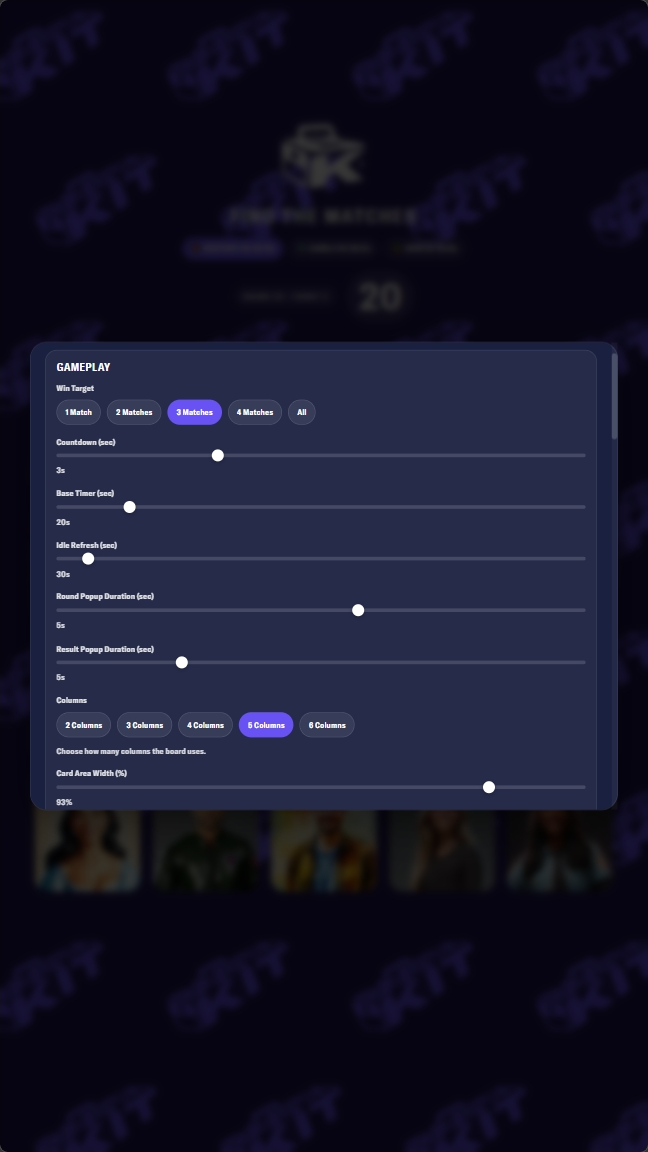
Operators have access to a built-in configuration system that allows the experience to be tailored per event without modifying the core setup.
You can quickly adjust:
-
Number of rounds
-
Number of cards
-
Countdown timing
-
Game modes
-
Layout behavior
-
Visual presentation
This allows you to reuse the same system across multiple events while delivering a customized experience every time.
Import / Export System for Multi-Monitor Deployment
Built with operators in mind, the system includes the ability to:
-
Export your settings
-
Import configurations instantly on another device
This makes it easy to deploy the same setup across multiple monitors or activations in seconds; without rebuilding or reconfiguring each unit manually.
Perfect for:
-
Multi-screen activations
-
Large-scale events
-
Fast on-site deployment
Fully Brandable Experience
The game can be customized to match your event or client branding.
Including:
-
Logos
-
Color palette
-
Fonts
-
UI styling
This allows you to deliver a cohesive branded activation without needing custom development.
Slideshow + Game in One
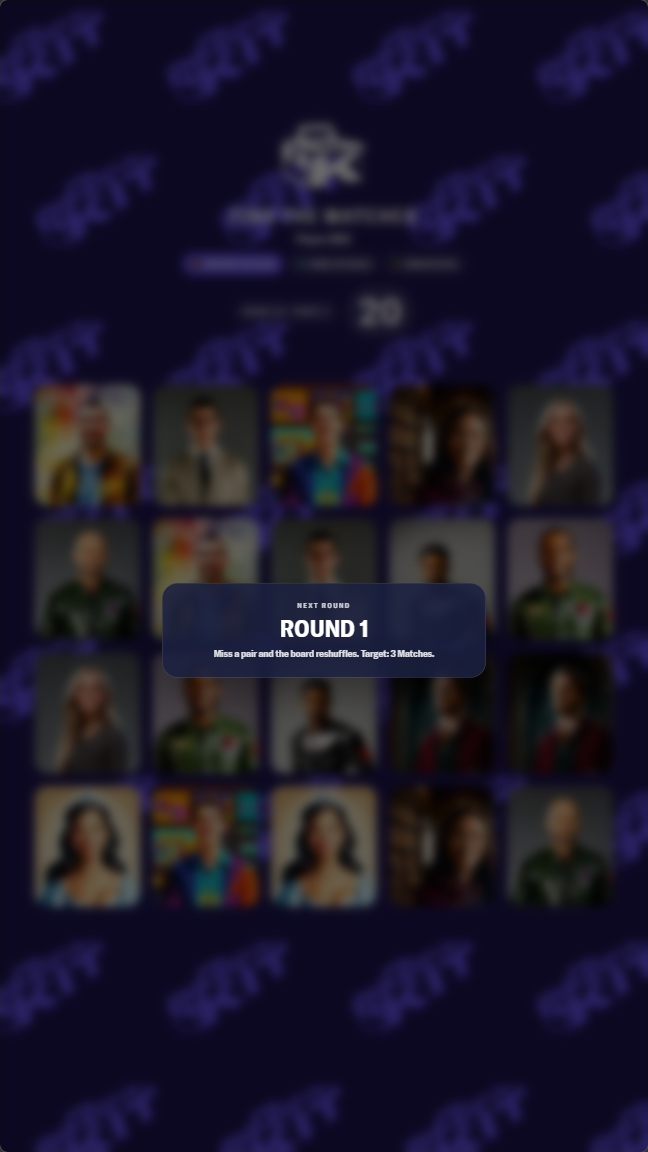
When idle, the experience doubles as a live photo slideshow, showcasing event images in real time.
When engaged, it transitions into a fully interactive game.
This makes the system useful even when guests are not actively playing.
Internet-Aware with Built-In Fallback Behavior
The system is designed to handle real-world internet conditions.
-
Internet is required to initially load the game and retrieve photos
-
Once loaded, the game caches a playable deck
-
If connection drops, gameplay can continue using cached images
Important: The page must remain open. Refreshing while offline will prevent the game from reloading.
Live Photo Sync
As new photos are taken during the event, they automatically become available to the game through the microsite.
This creates a continuously evolving experience where:
-
New guests appear in gameplay
-
The game content updates throughout the event
-
Engagement increases over time
How It Works (Simple Breakdown)
-
Guests take photos using any Snappic-supported device
-
Photos sync to the Snappic microsite
-
The game pulls those photos into a playable card deck
-
Guests interact with the game on a touchscreen display
-
As new photos are added, the game updates dynamically
Licensing & Usage
Purchase includes a perpetual license to use the current version of the product.
-
Unlimited monitor usage within your operation
-
Use across unlimited events
-
No recurring fees
Important Licensing Notes:
-
Minor bug fixes may be provided at our discretion
-
Future feature updates or new versions are not included and may be released separately
-
This purchase applies to the current version (V1) only
Hosting & Reliability
BoothKit may host certain supporting assets for convenience.
However:
-
Hosting availability is not guaranteed indefinitely
-
If hosted delivery is discontinued, customers may self-host the product for FREE
-
Documentation will be provided (typically a 10-minute setup)
While fallback systems are in place:
-
Snappic services and external dependencies cannot be guaranteed to have 100% uptime
-
If issues arise, reasonable efforts will be made to provide solutions where possible
What's Included
- Photo Match Game for Snappic Microsites (V1) — A live photo-powered memory game built specifically for the Snappic microsite environment.
- Unlimited Monitor Use — Use the purchased version across unlimited display screens within your operation.
- Fully Brandable Interface — Customize logos, color palette, fonts, and overall presentation to match your event or client branding.
- Fully Configurable Gameplay — Adjust rounds, card counts, countdowns, modes, and other gameplay settings.
- Plug-and-Play Deployment — Designed for fast setup without requiring programming knowledge.
- Slideshow + Game Experience — Functions as both a live photo display and an interactive game system.
- Portrait + Landscape Support — Works with portrait or landscape photos and supports both vertical and horizontal touchscreen displays.
- Live Photo Sync — Newly captured event photos can automatically flow into gameplay as the event continues.
- Instant Digital Download — Access the purchased files and setup materials immediately after checkout.
- Setup Documentation — Includes guidance for getting the game live within the Snappic microsite environment.
Requirements
- Snappic Required — This product requires Snappic and is built specifically for the Snappic microsite system.
- Eligible Snappic Plan Required — Requires a Snappic Business Subscription, Business Event, or a Starter Event with the Microsite Add-On.
- Internet Required — Internet access is required to start the game, load the microsite, and cache photos for gameplay.
- Fallback Has Limits — While the game includes internet fallback behavior, the page must remain open. If the browser is refreshed while offline, the game cannot reload until internet access returns.
- Touchscreen Display Required — You must supply your own touchscreen monitor or touchscreen-enabled display.
- Supported Hardware Setup — Requires either a touchscreen monitor with Windows built in, or a TV/display fitted with an IR touch frame and connected to a mini PC, Surface Pro, laptop, or similar device.
- Supported Browser Required — Recommended browsers are Google Chrome and Microsoft Edge.
- Minimum Photo Count Required — The game requires at least half the number of unique photos as the number of cards being played (though it must have a minimum of 6 images). For example, a 16-card game requires at least 8 photos in Snappic. If fewer photos are available, duplicates will be used as needed.
- Best Practice for Photo Orientation — While the game supports both portrait and landscape photos, it is recommended to design the event experience around one orientation and only ONE photo for the best visual consistency.
- No Programming Required — Built for plug-and-play use, though basic operator comfort with Snappic microsite setup is recommended.
- Important Notes Before Purchase
- This product is built specifically for the Snappic microsite ecosystem
- Touchscreen display hardware is not included
- Internet is required to start and load the experience
- The game requires a minimum number of photos to function properly
- For best results, design your event around a single photo orientation and ONE photo per template (portrait or landscape)
Compatibility
- Officially supported platform: Snappic microsites.
- Supported browsers: Google Chrome and Microsoft Edge.
- Safari / macOS: Tested, but compatibility cannot be guaranteed.
- Display support: Compatible with vertical and horizontal touchscreen displays.
- Photo orientation support: Compatible with both portrait and landscape photos.
- Microsite dependency: This product depends on Snappic’s microsite system and workflow behavior.
- Platform changes: We are not liable for changes made by Snappic to their microsite system that may affect functionality. However, reasonable efforts will be made to issue fixes wherever possible.
- Service uptime: While the product includes fallback measures and a backup path, neither Snappic services nor hosted supporting assets can be guaranteed to have 100% uptime.
- Recovery support: If a hosted component on our end is ever discontinued or unavailable, customers may self-host the purchased version at no additional cost. Documentation will be provided.
- Software updates: Purchase includes a perpetual license to use the current version of the product. Minor bug fixes may be provided at our discretion. Future feature updates or new versions are not included and may be released separately as standalone products.
Licensing
Effective Date: March 1, 2026
By purchasing and downloading this product, you agree to the following terms:
1. License Grant
BoothKit grants you a non-exclusive, non-transferable license to use the purchased digital assets (“Work”) in accordance with
this agreement.
You are purchasing a license to use the Work — not ownership of the Work.
2. Single Business License
This license is valid for one business entity.
If you operate multiple legally separate businesses, franchises, or independent locations, each entity must purchase its own
license.
The Work may not be shared across separate companies or business entities.
3. Permitted Use
You may:
Use the Work in your photo booth events and activations
Incorporate the Work into client projects
Modify the Work for your own event use
Produce unlimited final outputs (prints, videos, microsites, event deliverables)
You may charge your clients for services that include use of the Work and recover the cost of purchase as part of your service
pricing.
4. Prohibited Use
You may not:
Resell, sublicense, redistribute, gift, or trade the Work
Share the Work via cloud drives, file-sharing platforms, or operator communities
Include the Work inside another digital product, template, bundle, or system for resale
Claim the Work as your own creation
Transfer the original files to your client or any third party
Modified versions of the Work remain subject to this license and may not be redistributed.
5. Digital Product & Template Restriction
The Work may not be incorporated into any digital asset, template, overlay, filter, VFX system, microsite, or similar product
intended for resale or distribution.
This license permits event use only — not product redistribution.
6. Ownership
All intellectual property rights remain with BoothKit.
This license does not grant copyright ownership.
7. License Termination
Violation of these terms immediately terminates your license to use the Work.
8. Digital Delivery
Due to the digital nature of this product, all sales are final and non-refundable.
9. Software Compatibility & Updates
BoothKit products are developed, tested, and guaranteed using the software versions specified at the time of release.
Customers are responsible for verifying compatibility with their current software version prior to purchase.
While we make reasonable efforts to maintain compatibility with major software updates, future compatibility cannot be
guaranteed due to changes made by third-party software providers.
If a product becomes incompatible due to a software update, BoothKit will make reasonable efforts to provide a fix or
compatibility update at no additional charge where feasible.
In cases where a major software change requires a complete rebuild or structural redesign, an updated version may be
released as a new product or paid upgrade.
Refunds will not be issued due to incompatibility resulting from software updates released after the date of purchase.
Files may not be resold, redistributed, gifted, traded, or shared outside the licensed business entity